ThorLabs Scientific Camera
Pieces for interacting with Thorlabs scientific cameras using the puzzlepiece framework.
Example usage (see Getting started for more details on using Pieces in general):
import puzzlepiece as pzp
from pzp_hardware.thorlabs import camera

app = pzp.QApp()
puzzle = pzp.Puzzle(debug=False)
puzzle.add_piece("camera", camera.Piece, row=0, column=0)
puzzle.show()
app.exec()
Installation
Install ThorCam (not ThorImageCam) from https://www.thorlabs.com/software_pages/ViewSoftwarePage.cfm?Code=ThorCam
Locate
Scientific_Camera_Interfaces.zip(usually inC:\Program Files\Thorlabs\Scientific Imaging\Scientific Camera Support)Unzip the file to a convenient location
In the unzipped folder, go to
SDK/Python Toolkitand install the provided package zip file in your Python environment, for example withpip install "<path to thorlabs_tsi_camera_python_sdk_package.zip>"In the unzipped folder, locate
SDK\Native Toolkit\dlls\Native_64_liband copy its full path (starting withC:or another drive letter)When running the Piece for the first time, you will be asked for the DLL directory - provide the one you copied above.
Requirements
This Piece has additional requirements. You will be asked to install them at runtime, or you may choose to install them ahead of time.
PIL –
pip install pillow– Instructionsthorlabs_tsi_sdk – Instructions
Available Pieces
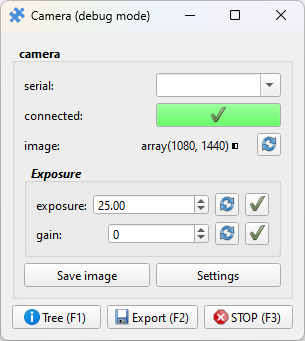
- class pzp_hardware.thorlabs.camera.Base(puzzle=None, custom_horizontal=None, param_defaults=None, *args, **kwargs)[source]
Bases:
PieceBase camera Piece without a preview. Can be used to get images and show settings without an explicit image view in the UI.
- class pzp_hardware.thorlabs.camera.Piece(puzzle=None, custom_horizontal=None, param_defaults=None, *args, **kwargs)[source]
Bases:
ImagePreview,BaseLike
Base, but includes a preview for the captured image. Can be made to run live.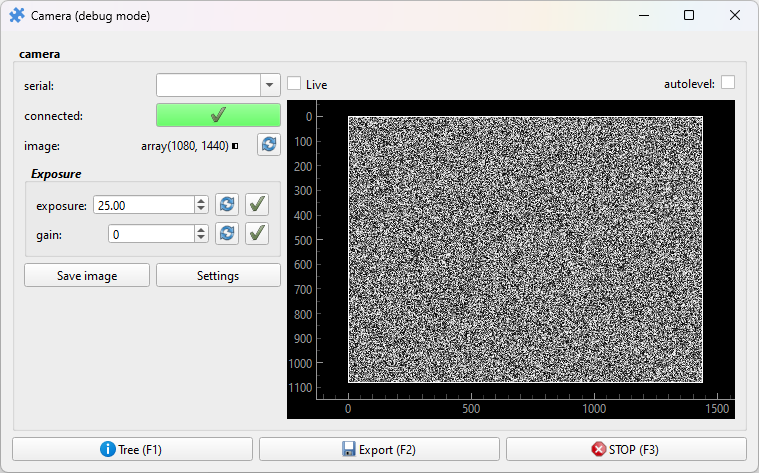
- live_toggle = True
Display a toggle that lets the user refresh the image live
- autolevel_toggle = True
Display a toggle that makes the image brightness range adjust automatically
- max_counts = 1023
Adjust the default range of the image view, this is the white point
- class pzp_hardware.thorlabs.camera.LineoutPiece(puzzle=None, custom_horizontal=None, param_defaults=None, *args, **kwargs)[source]
Bases:
LineoutImagePreview,BaseLike
Pieceabove, but the preview includes two movable lines (horizontal and vertical), and plots that show the image profile along these lines. These can also act as a crosshair for alignment, and a circle is shown where they cross.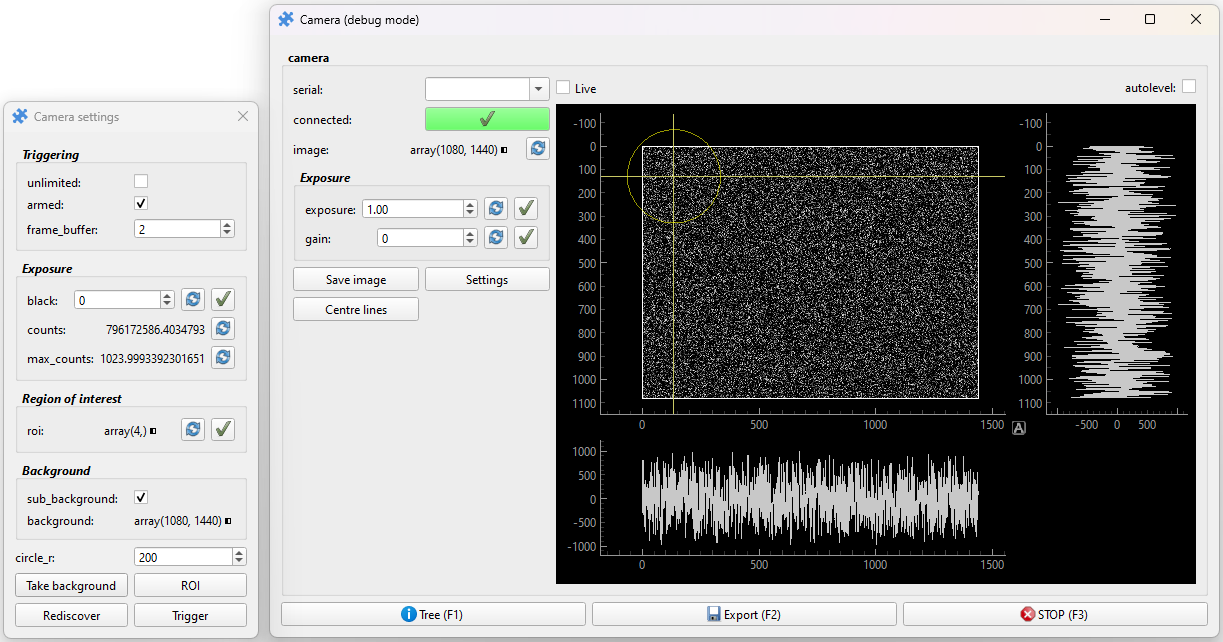
- live_toggle = True
Display a toggle that lets the user refresh the image live
- autolevel_toggle = True
Display a toggle that makes the image brightness range adjust automatically
- max_counts = 1023
Adjust the default range of the image view, this is the white point