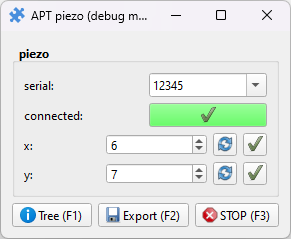
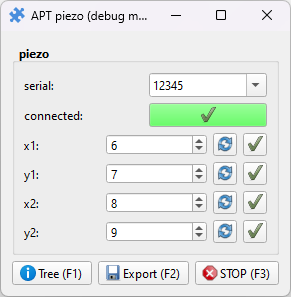
ThorLabs APT piezo inertia actuator
Pieces for interacting with ThorLabs piezo inertia actuator controllers through the APT interface using the puzzlepiece framework.
Example usage (see Getting started for more details on using Pieces in general):
import puzzlepiece as pzp
from pzp_hardware.thorlabs import apt_piezo

app = pzp.QApp()
puzzle = pzp.Puzzle(debug=False)
puzzle.add_piece("stage", apt_piezo.Piece, row=0, column=0)
puzzle.show()
app.exec()
Installation
Install the APT Software from https://www.thorlabs.com/newgrouppage9.cfm?objectgroup_id=9019
Locate the
APT Serverfolder in the APT installation directory (usuallyC:\Program Files\Thorlabs\APT\APT Server) and copy its path.When running the Piece for the first time, you will be asked for the DLL directory - provide the one you copied above.
Requirements
This Piece has additional requirements. You will be asked to install them at runtime, or you may choose to install them ahead of time.
thorlabs_apt –
pip install thorlabs-apt
Troubleshooting
If APT or your application crashes while connected to a stage, subsequent attempts to load APT will likely crash. To fix this, you can:
Restart the affected stages
Restart the affected computer
Use the Kinesis software to perform a quick fix (the fastest method, but requires additional software):
Install Kinesis from https://www.thorlabs.com/newgrouppage9.cfm?objectgroup_id=10285
Close any instance of APT
Launch Kinesis and wait for it to fully load and detect the stages
Close Kinesis
APT should work normally now!
Note that there can only be one isntance of the APT server running at any time. If you are connected to a stage in this Piece and would like to use APT in another application, disconnect from the stage in the Piece. If you are not connected to a stage, you can still release APT from the puzzlepiece process by using this Piece’s Cleanup action (available from the Tree view, button at the bottom of the Puzzle or F1).
Available Pieces
- class pzp_hardware.thorlabs.apt_piezo.Base(puzzle=None, custom_horizontal=None, param_defaults=None, *args, **kwargs)[source]
Bases:
APTBase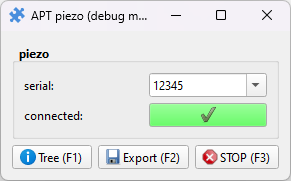
Base Piece that doesn’t define any channels, and should be inherited to provide a Piece matching your piezo configuration. Two examples are included:
PieceandDoublePiece.- make_channel(name, i)[source]
Create a named param for a channel number with a setter and getter. Should be called within
define_paramsto create params for your piezo controllers x, y, z, etc axes:def define_params(self): super().define_params() for i, name in zip((0, 1), "xy"): self.make_channel(name, i)
- Parameters:
name – name of the channel/param to create
i – index of the channel on the piezo controller
- Return type:
puzzlepiece.param.ParamInt